---
updatedAt: 2026-02-20T21:36:13.000Z
agentTools:
projectIndex: https://developer.trulioo.com/v1.0/llms.txt
---
# Quick Start
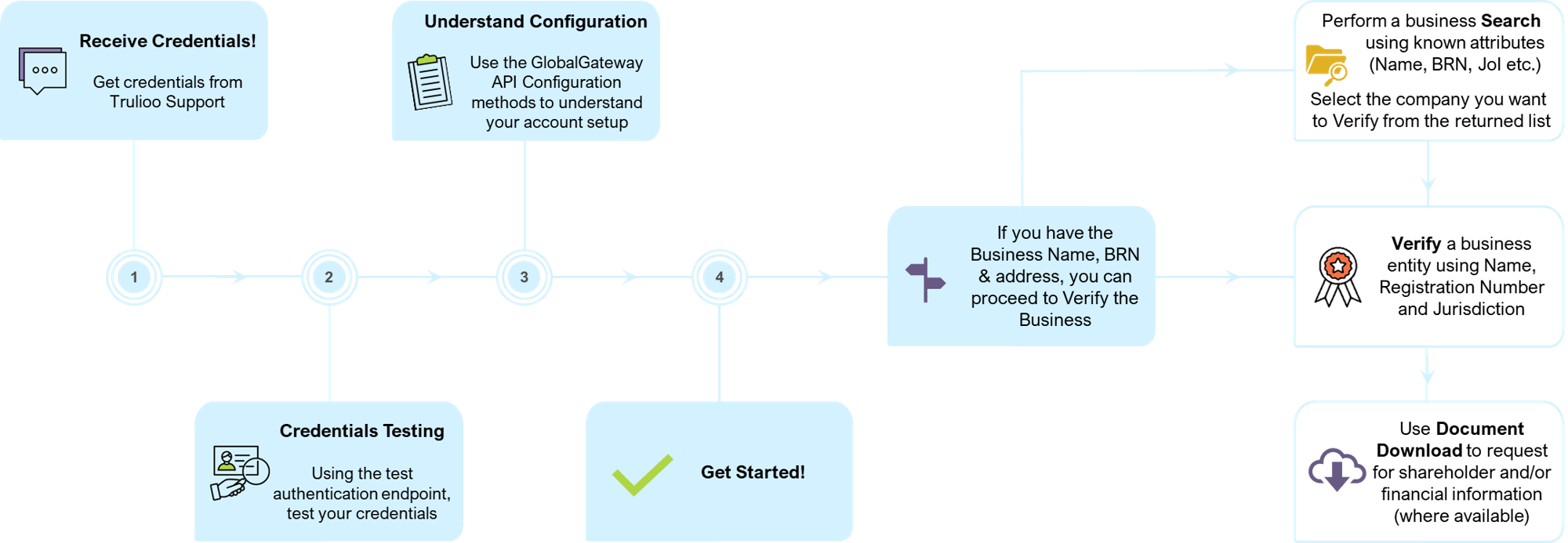
This quick start guide will walk you through the process of setting up and authenticating your connection, understanding your configuration and using Trulioo’s Search, Verify and Document Download capabilities with the GlobalGateway API. Each individual step is simple, but builds upon the step before it, letting you get up and running with a full business verification solution in no time.
## What you'll need
Before you can do anything, you should have the following:
1. A GlobalGateway account: The account consists of configurations and test entities. To set up a GlobalGateway account, contact us using the form available \[here] ().
2. A NAPI user: You need a username and password for authenticating API calls. If you have a GlobalGateway account set up, email with the following information:
```
- Your first and last name
- Your organization's GlobalGateway account name
```
We require approval from the primary or technical contact from your organization to create a NAPI user on your behalf.